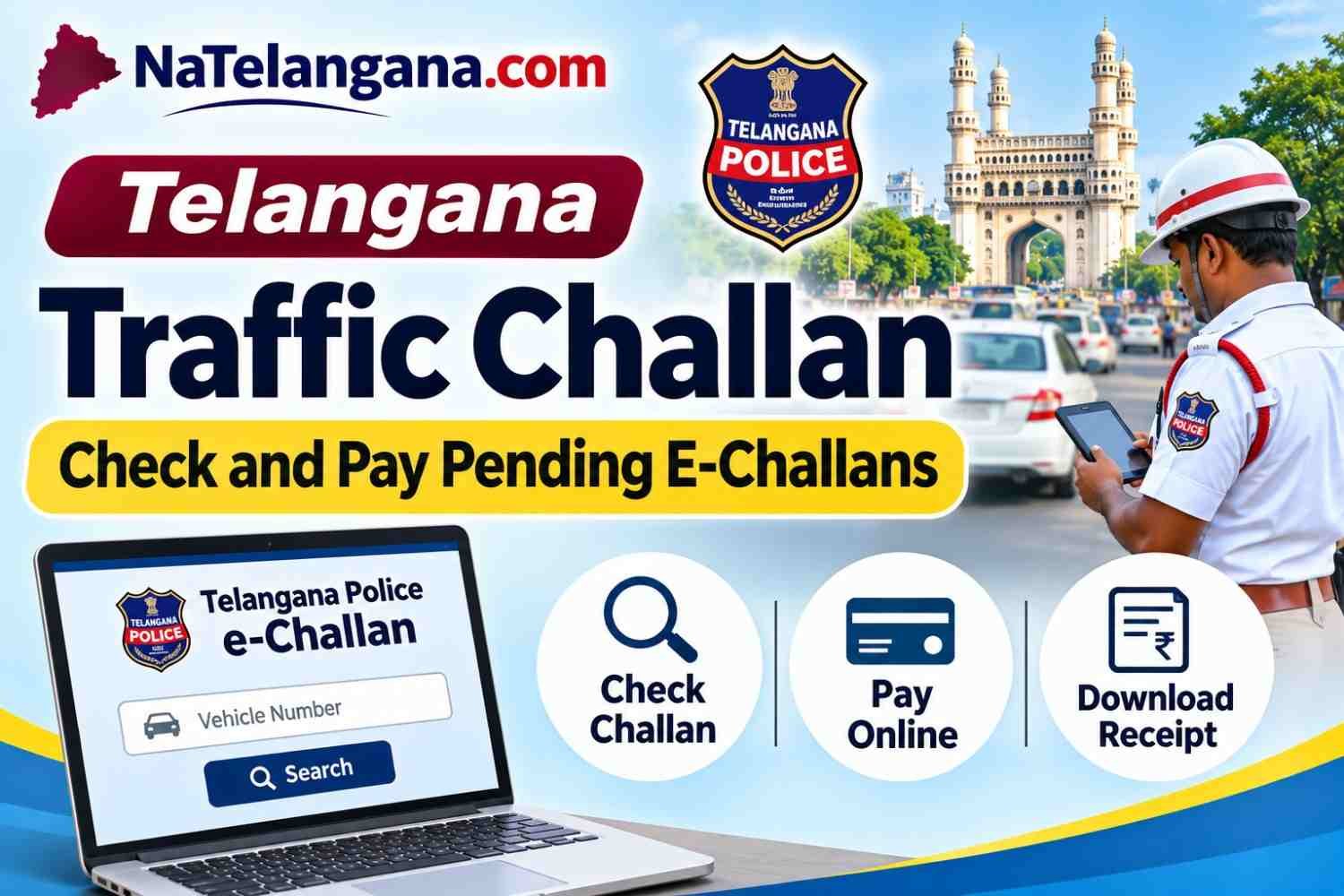
Telangana Traffic Challan
If you own a vehicle in Telangana, it is important to check whether any traffic challans are pending against your vehicle. Telangana Traffic Police issues e-challans for traffic violations detected by traffic police personnel, CCTV cameras and other enforcement systems.
Vehicle owners can check pending traffic challans online through the official Telangana Police e-Challan portal. The portal allows citizens to view violation details, check available photographic evidence, pay fines online and download payment receipts.
In this guide, we explain how to check Telangana traffic challans using a vehicle number, pay pending e-challans, verify payment status, download receipts and raise a complaint if a challan has been issued incorrectly.
Telangana Traffic Challan Official Website
The Telangana Police operates an Integrated e-Challan System for checking and paying traffic fines.
Official Telangana e-Challan website: https://echallan.tspolice.gov.in/
Use this official website to:
- Check pending traffic challans.
- View violation details and available evidence.
- Pay traffic fines online.
- Verify payment transactions.
- Download payment receipts.
- Raise grievances against incorrect challans.
- Register for violation alerts.
Always check the website address before entering vehicle or payment details. Telangana Traffic Police has also warned citizens about fake e-Challan websites and mobile applications.
How to Check Telangana Traffic Challan Online Using Vehicle Number
You can check pending traffic fines through the Telangana Police e-Challan portal using your vehicle registration number.
Follow these steps:
- Visit the official website: https://echallan.tspolice.gov.in/
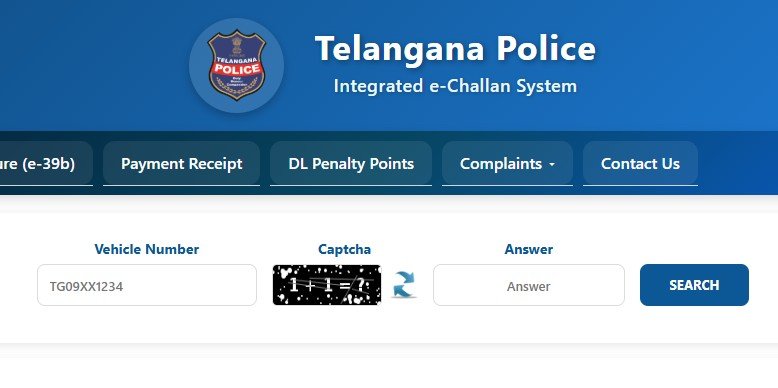
- Find the Vehicle Number search section on the homepage.
- Enter your vehicle registration number. For example, TG09XX1234.
- Enter the captcha displayed on the screen.
- Click the Search button.
- The portal will display the available challan details associated with the vehicle.
- Check the violation date, challan number, offence details and pending amount.
If photographs or video evidence are available, you may also be able to view them on the portal.
Important: Enter the correct vehicle registration number and verify the vehicle details before making any payment.
How to Pay Telangana Traffic Challan Online
After checking the pending challans, you can pay the fine online through the official Telangana Police portal.
Steps to Pay E-Challan
- Open https://echallan.tspolice.gov.in/.
- Search for your vehicle using its registration number.
- View the list of pending challans.
- Select the challan you want to pay.
- Click the available payment option.
- Choose the payment gateway and proceed.
- Select an available payment method.
- Complete the transaction and save the transaction reference number.
- After successful payment, download or print the payment receipt.
Available Online Payment Methods
The Telangana e-Challan portal supports the following payment methods through its payment gateways:
- UPI
- Debit Card
- Credit Card
- Internet Banking
The available options may depend on the payment gateway displayed during the transaction.
For spot challans, the portal currently displays an additional user charge of ₹5. Check the amount shown on the payment page before proceeding.
How to Download Telangana Traffic Challan Payment Receipt
After successfully paying a traffic challan, keep the payment receipt for future reference.
Follow these steps:
- Visit the Telangana e-Challan website.
- Search for your vehicle or open the relevant payment-related option.
- Select the Payment Receipt option, wherever displayed.
- Enter the required challan or transaction details.
- Verify the payment information.
- Download or print the receipt.
Keep the receipt until the challan status is updated as paid or disposed.
How to Check Telangana E-Challan Payment Status
Sometimes the payment amount is deducted from a bank account, but the challan continues to appear as pending on the portal.
In such cases, do not immediately make another payment.
Follow these steps:
- Open the official Telangana e-Challan website.
- Find the transaction status or payment receipt option.
- Enter the required transaction reference or challan details.
- Check the payment status.
- Save the transaction details for future reference.
According to the portal’s payment guidance, successful bank transactions are updated automatically. If the amount is debited but the challan is not cleared, wait for up to 24 hours.
If the issue continues, contact the relevant Traffic Police helpdesk. The portal states that if the challan remains uncleared, the amount will be refunded within seven working days, subject to the applicable transaction and refund process.
How to Raise a Complaint Against a Wrong Traffic Challan
If you receive a traffic challan for a vehicle that was not involved in the violation, or if the vehicle details or evidence are incorrect, you can submit a grievance through the Telangana e-Challan portal.
The portal provides a complaint facility for issues such as:
- Wrong challan
- Duplicate challan
- Challan issued for a sold vehicle
- Stolen vehicle-related challan
- Fake or cloned number plate
- Incorrect or insufficient violation evidence
- Payment-related issues
Steps to Submit a Wrong Challan Complaint
- Visit the official Telangana e-Challan website.
- Search for pending challans using your vehicle number.
- Select the challan against which you want to raise a complaint.
- Open the grievance or complaint option.
- Select the relevant complaint category.
- Enter the supporting remarks explaining the issue.
- Upload supporting documents or evidence, if requested.
- Submit the grievance for verification.
Supporting remarks are mandatory for grievance submission. Keep the complaint acknowledgement and monitor updates sent to your registered mobile number.
What Documents May Be Required for a Wrong Challan Complaint?
Depending on the nature of the complaint, keep the following documents ready:
- Vehicle Registration Certificate (RC).
- Driving Licence, where relevant.
- Challan details or payment receipt.
- Photographs or other evidence supporting your complaint.
- Documents relating to the sale or transfer of the vehicle, if applicable.
- Stolen vehicle complaint details, where relevant.
The authorities may request additional information depending on the complaint.
Telangana Traffic Challan Helpdesk Contact Numbers
If you face problems while checking challans, making payments or raising complaints, contact the relevant Traffic Police helpdesk.
| Police Commissionerate | Contact number |
|---|---|
| Hyderabad Traffic Police | 040-27852721, 040-27852772 |
| Cyberabad Traffic Police | 040-27853416 |
| Malkajgiri Traffic Police | 040-27853000 |
| Future City Traffic Police | 8712665328 |
The official portal also provides commissionerate-specific email addresses and contact information.
For Hyderabad Traffic Police, the portal lists the e-Challan helpdesk email as echallanhelpdesk.hyd@gmail.com.
Important Links
| Service | Official link |
|---|---|
| Telangana Traffic Challan Check | https://echallan.tspolice.gov.in/ |
| Telangana e-Challan Public View | https://echallan.tspolice.gov.in/publicview/ |
| Hyderabad Traffic Police | https://htp.gov.in/ |
| National e-Challan Portal | https://echallan.parivahan.gov.in/ |
Checking and paying pending traffic challans online is straightforward through the Telangana Police e-Challan portal. Vehicle owners can search using their registration number, view available violation details, pay fines through online payment methods and download receipts.
Check your vehicle’s challan status periodically and resolve pending fines through the official website. If a challan is incorrect, use the grievance facility to request verification instead of making an unnecessary payment.
ALSO READ
- Telangana Prohibited Properties List 2026: Check Survey Number & 22-A Status
- Telangana Encumbrance Certificate (EC): Apply, Check Status & Download
- Telangana Graduate MLC Voter Registration 2026: Apply Online & Status Check
Frequently Asked Questions
How can I check Telangana traffic challans online?
Visit https://echallan.tspolice.gov.in/, enter your vehicle registration number and captcha, and click Search. The portal displays available pending challan details.
Can I check pending challans using a vehicle number?
Yes. The Telangana Police e-Challan homepage provides a vehicle-number search facility to check available traffic challans.
How can I pay Telangana traffic challans online?
Search for your vehicle on the official portal, select the pending challan and proceed to the payment gateway. You can use available options such as UPI, debit card, credit card or internet banking.
How can I download my Telangana e-Challan receipt?
After successful payment, use the Payment Receipt option on the official portal to verify the transaction and download the receipt.
What should I do if money is deducted but my challan is still pending?
Wait for up to 24 hours and check the transaction status or payment receipt option. If the challan is still not cleared, contact the relevant Traffic Police helpdesk with your transaction reference number.
How can I complain about a wrong traffic challan in Telangana?
Search for the challan on the official portal, select it and submit a grievance with the appropriate complaint category and mandatory supporting remarks. Provide relevant documents or evidence if requested.
Can I check Hyderabad traffic challans on the Telangana e-Challan website?
Yes. The Telangana Police e-Challan portal covers traffic challan services across the state, including Hyderabad and other police commissionerates.
Is the Telangana e-Challan website safe for online payment?
Use only the official website, https://echallan.tspolice.gov.in/. Avoid links received through suspicious messages or advertisements. Never share your OTP or payment credentials with anyone claiming to be from the Traffic Police.